
How to Set Up Custom Fonts for Your Agent CMA
Overview
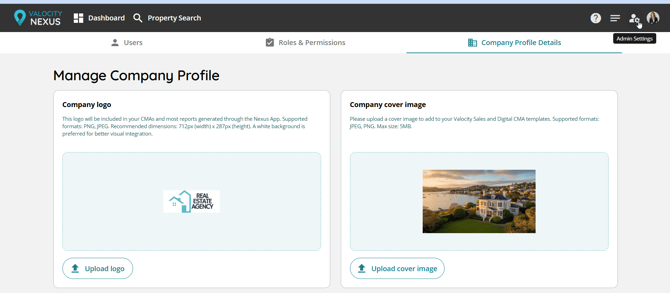
Nexus allows admin users to select custom fonts for the Sales CMA. You can choose one font for headings and one for body text from a curated list of free Google Fonts. These settings are managed from the Admin Settings > Company Profile Details.
⚠️ Font selections apply to the Sales CMA only. They do not affect the Longform CMA, Digital CMA, or Rental CMA.
Steps
- Log in to Nexus as an admin user.
- Navigate to Company Profile Details from the main settings menu.
- Scroll to the Typography section.
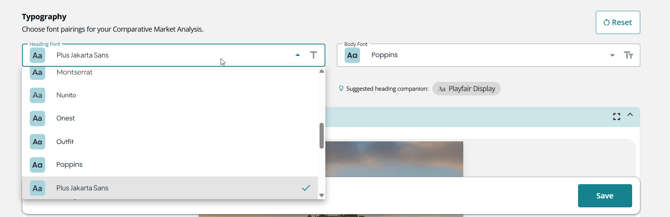
- Under Heading Font, select your preferred font from the dropdown list.
- Under Body Font, select your preferred font from the dropdown list.
- Click Cover or Letter Preview to see how your Sales CMA will look with the selected fonts.
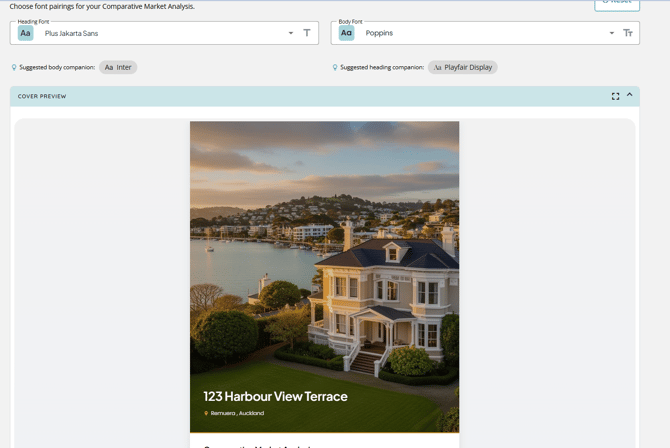
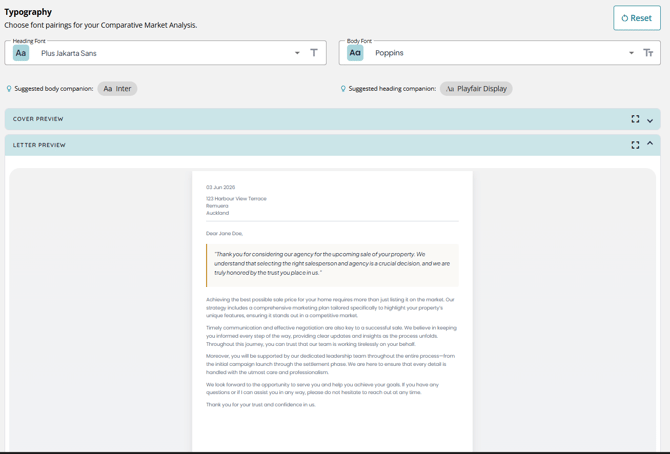
- Once you're happy with your selection, click Save.
Note: All elements on this page are now previewable in the two pages at the bottom, allowing you to see the impact instantly.
Available Fonts
Fonts are sourced from Google Fonts and are free to use. Available options include: Montserrat, Poppins, Raleway, Inter, DM Sans, Open Sans, Lato, Source Sans Pro, Outfit, Nunito, Figtree, Quicksand, Playfair Display, Cormorant Garamond, DM Serif Display, Lora, Merriweather, EB Garamond, Mona Sans. No licenced fonts are available at this stage.
Tips
- Use the Preview option to compare different font combinations before committing.
- Not all fonts are available for both heading and body - some are optimised for one or the other.
- Nexus provides recommended font pairings for headings and body text to help you find combinations that work well together - look out for the pairing suggestions when making your selection.
- If you're unsure where to start, the pairing suggestions are a great way to get a polished, professional look without the guesswork.
- Hitting Reset brings both heading and body fonts back to Open Sans.
Why it matters
Getting font choices right for client-facing reports used to mean publishing and hoping for the best. Now you can audition heading and body font combinations against a real preview of your cover page and cover letter before committing - no surprises, no wasted rounds of feedback. It's a much faster way to get reports looking on-brand from the start. And because we're building on Google Fonts, expanding the catalogue over time is straightforward - so expect more options as we go.