
⭐ CMA – Disclaimers and T&Cs can now be reordered
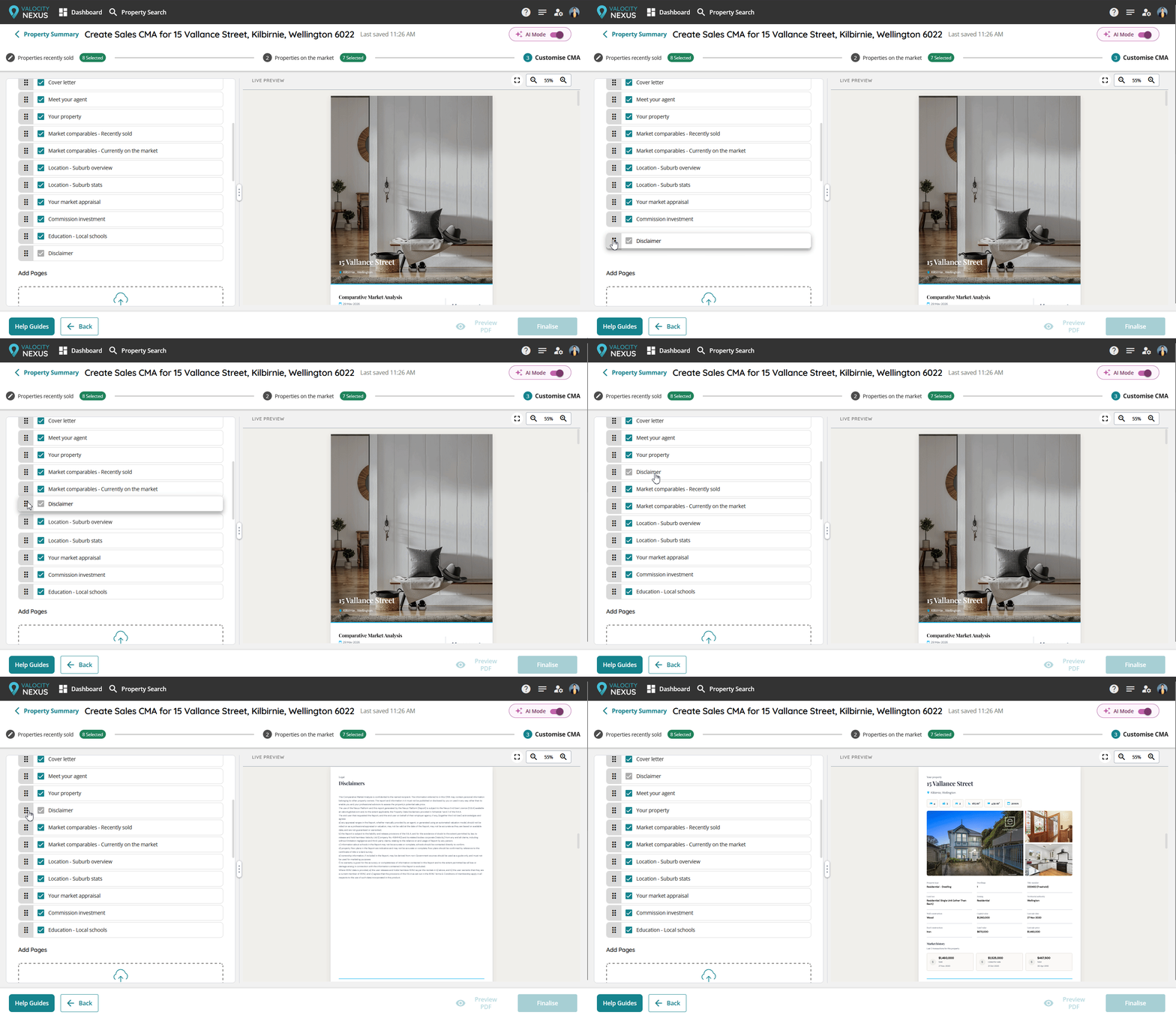
Disclaimers in the CMA can now be moved within the CMA page order, giving agents more flexibility to place additional content like marketing inserts after the disclaimer section.
How it works
- Disclaimer and T&C sections can be dragged and repositioned within the CMA page structure
- Applies to the new Sales CMA template and legacy NZ Sales Longform CMA template (Adobe-based)
Why it matters
Agencies now have the flexibility to structure their CMA the way they need to - without compromising on compliance. Clients who want to include marketing inserts or custom content after their disclaimers can do so, while the REINZ clause and all T&C requirements stay firmly in place.
⭐Target property pop-up modal in CMA Builder customise screen
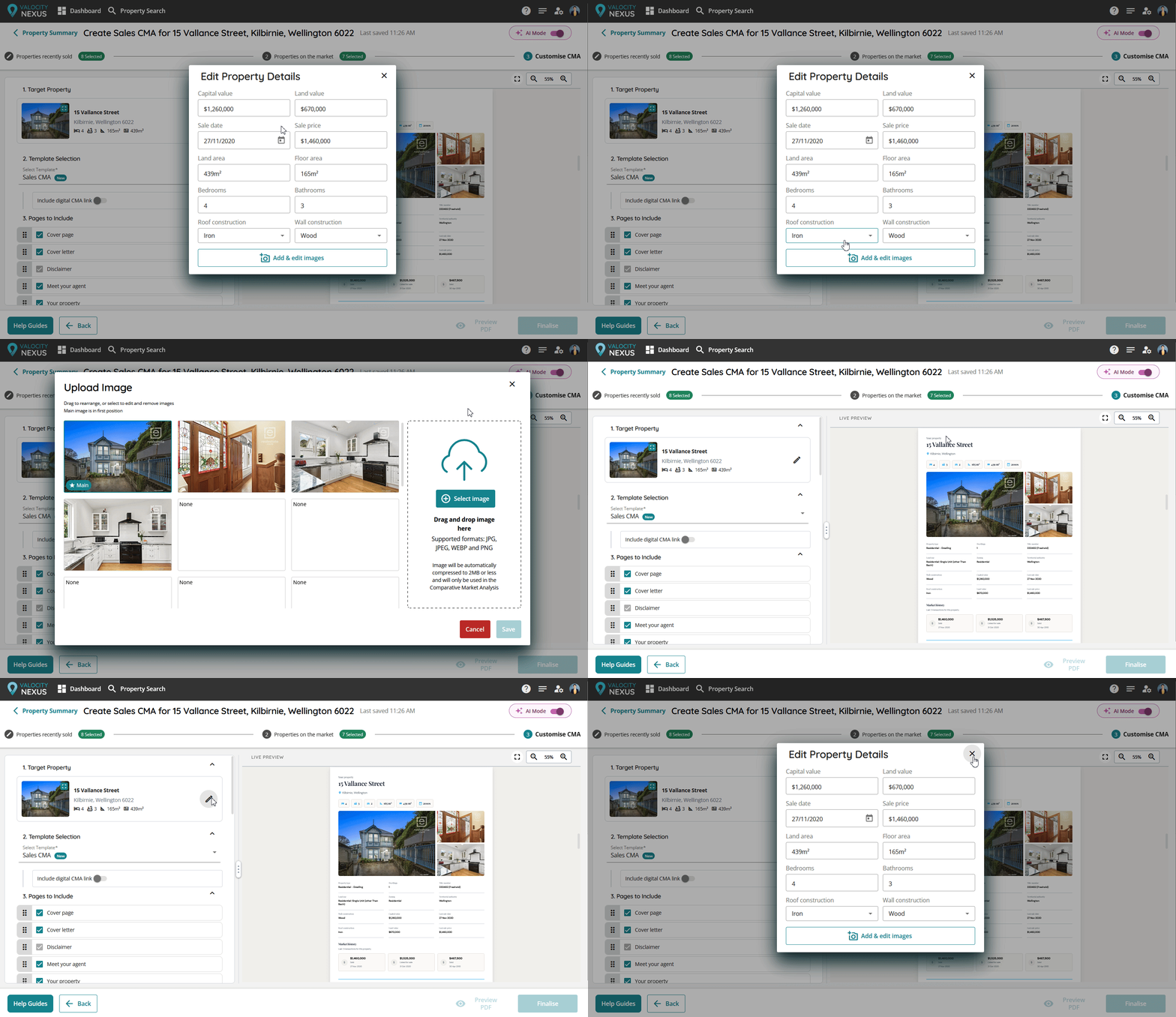
When Live Preview was introduced in the CMA Builder, the target property card was temporarily removed from the Customise CMA step. It has now returned with improvements. Agents can view and edit the target property through pop-up modal windows in the Customise step.
How it works
- A Target Property pop-up modal now appears at the top of the Customise CMA step
- Clicking to edit opens a dialog where users can update fields including capital value, land value, sale date, sale price, land area, floor area, bedrooms, bathrooms, roof construction, and wall construction
- Images can also be added and edited from within the same dialog
- The pop-up modal fits neatly into the updated page order alongside template selection and pages to include
Why it matters
Agents preparing a CMA can now review and adjust target property attributes directly in Customise Screen Live Preview, without returning to previous steps. This streamlines the process and ensures users confirm the accuracy of information before finalising their CMA. The pop-up also accommodates future editable fields.
⭐New CMA PDF File Optimisation
We've made behind-the-scenes improvements to how the new CMA template generates PDFs. The result is a smaller file size without any loss in quality - so finalising the new CMA is easier to share.
How it works
- PDF compression techniques have been applied to the new HTML-based CMA template
- File sizes are reduced during the finalisation process
- Visual quality and layout are fully preserved
- No changes to the user workflow - it just works faster in the background
Why it matters
Large PDF files can slow sharing CMAs with vendors or clients. File sizes are now optimised to under 20MB, allowing agents to attach the CMA directly to emails without attachment limits.