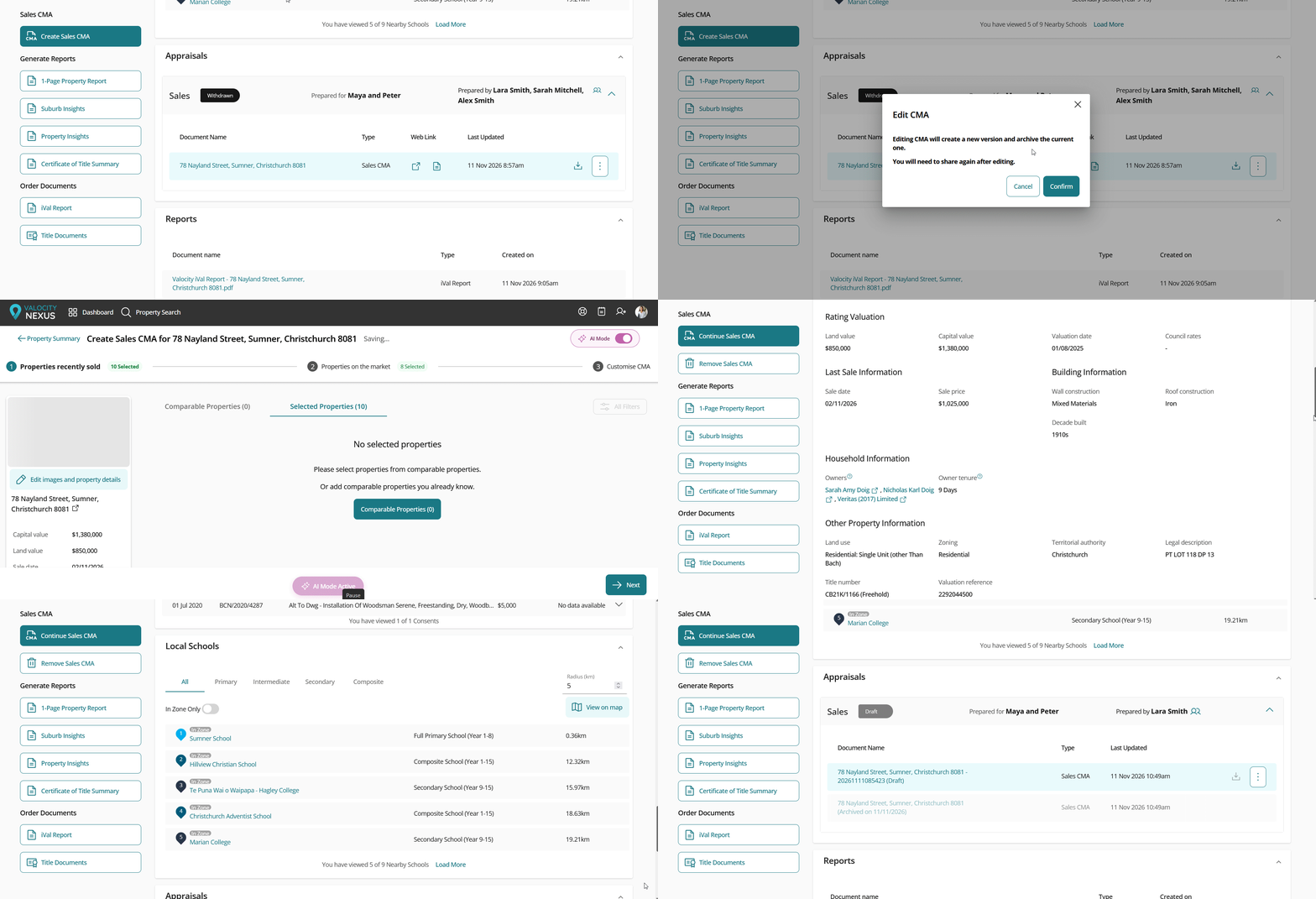
Map layers for Canterbury
Map layers are now available for Christchurch and the wider Canterbury region, matching the layers already in Wellington and Tauranga. Zoning, liquefaction and the pipes beneath a property are regular questions in an appraisal. Now you can show the answers on the map, instead of sending clients off to council viewers.
Find the layers
- Search for a Christchurch suburb or territorial authority, then switch the results to map view.
- Open Map Layers and switch on the layers you want.
You can also use the Map Layers panel in the map section of the property summary page, for any property in Canterbury.
What's available
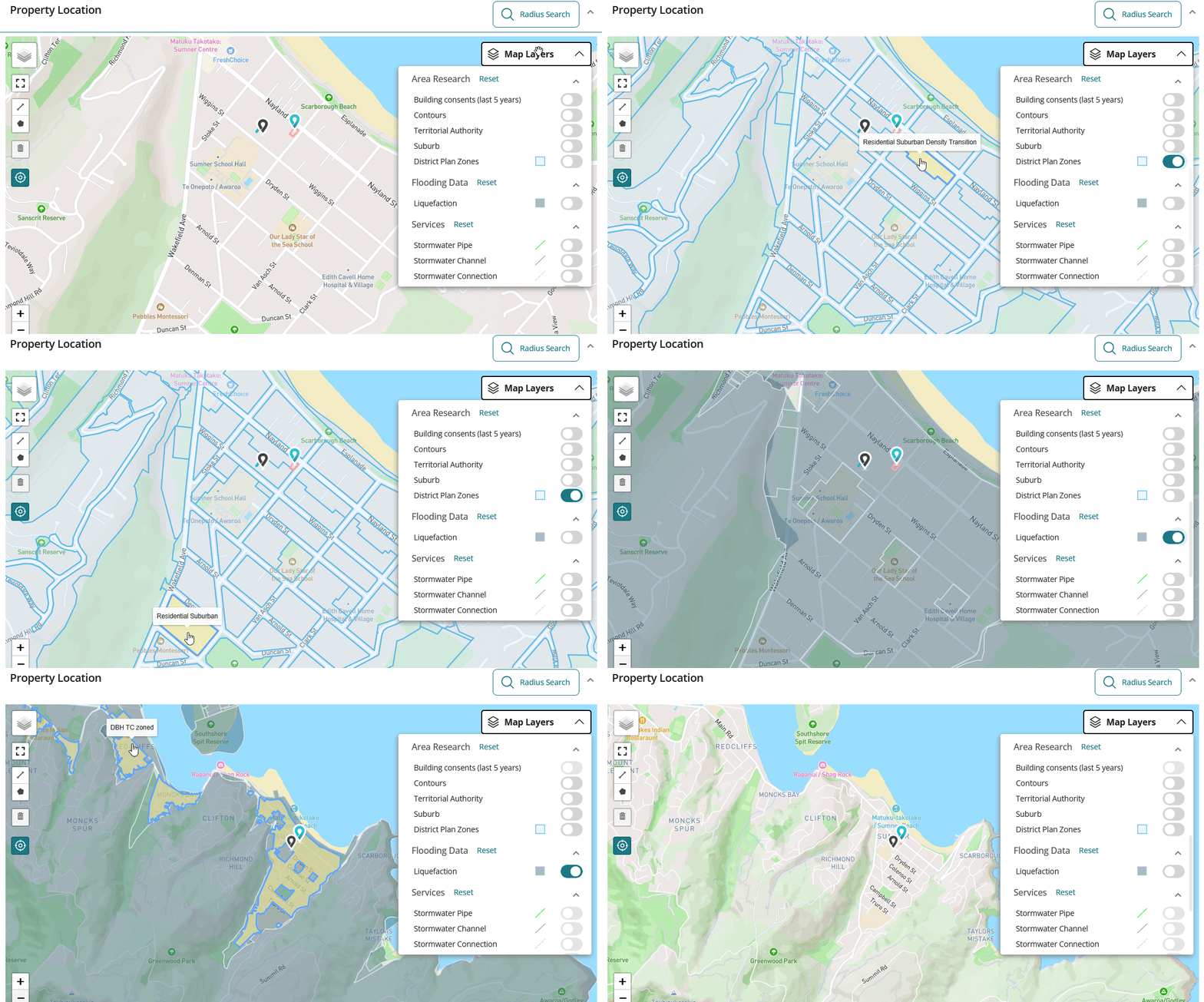
- District Plan Zones, under Area Research, shows the zoning across Christchurch. Hover over an area to see the zone name.
- Liquefaction, under Flooding Data, shades the affected areas. Hover over an area to see its category.
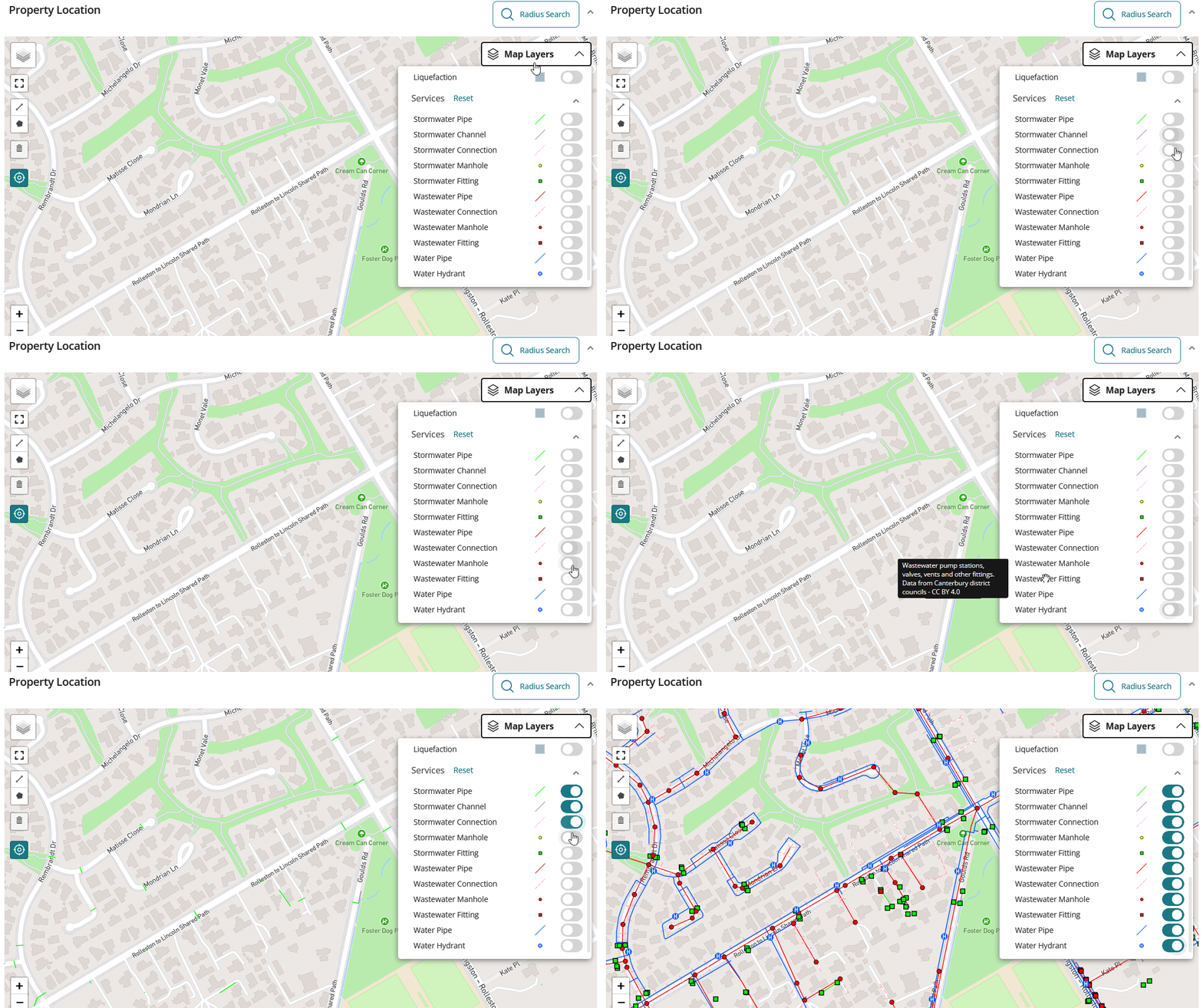
- Services covers stormwater, wastewater and water supply: Stormwater Pipe, Channel, Connection, Manhole and Fitting; Wastewater Pipe, Connection, Manhole and Fitting; and Water Pipe and Hydrant. Each layer has its own symbol and colour.
Good to know
- The layers only appear when the map is within the Canterbury region.
- The data is supplied by Canterbury's district councils. Hover over any layer name to see what it covers and where the data comes from.
Withdrawn listings now keep their CMA
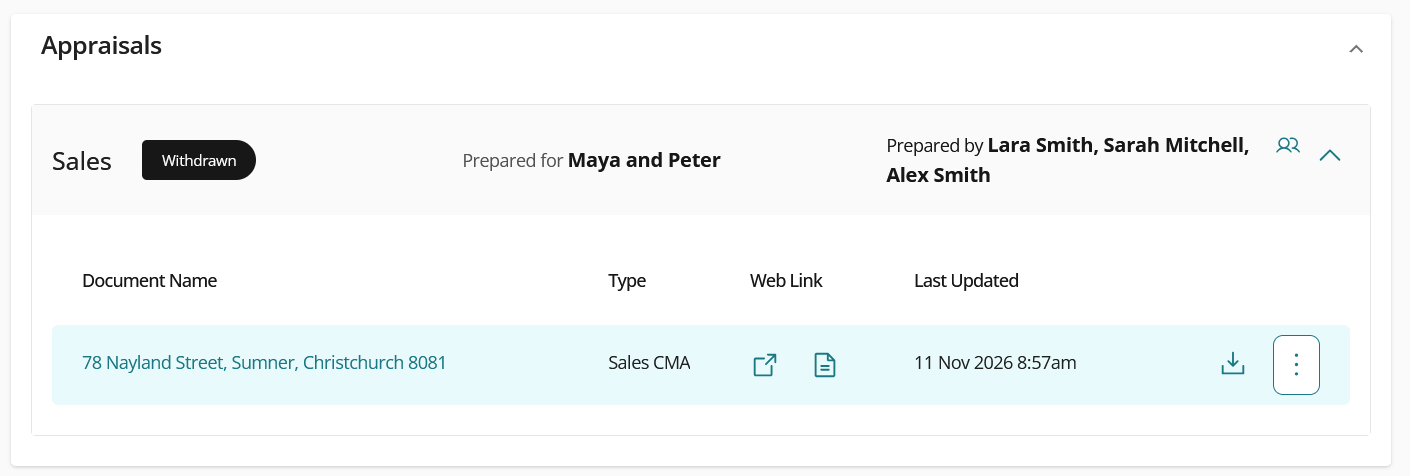
When you withdraw a Listed CMA, it now stays in the Appraisals section of the property page, instead of disappearing, so you can still open and use it whenever you need.
A CMA starts as a Draft. Once you finalise it, you can discard it or mark it as Listed. A Listed CMA can then be marked as Sold or Withdrawn.
What happens when you withdraw a listing
- Finalise your CMA, then mark it as Listed.
- When the listing is withdrawn, mark the Listed CMA as Withdrawn.
- Open the property page and go to the Appraisals section.
- The CMA is still there.
Use or rework the CMA
- Open the CMA to view it or take action on it, just like any other finalised CMA.
- To rework it, select Edit. This creates a new draft copy, and the original stays exactly as it was, with its comparables, pricing and report content.