-1.png?width=200&height=59&name=REIP%20Nexus%20logo%20(2)-1.png)
Floorplan in Longform CMA
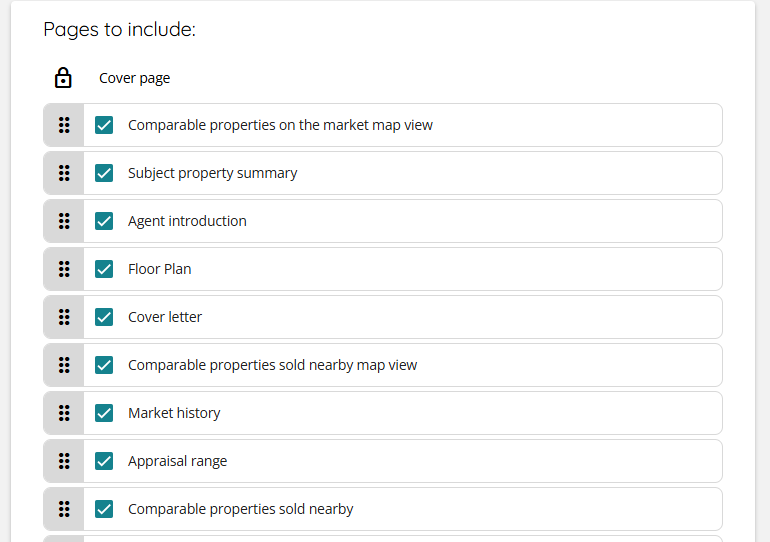
We’ve added the option to include a Floorplan section in the long-form Sales CMA created with the CMA Builder. This gives agents and vendors a clearer visual of the property’s layout whenever a floor plan is available.
How it works
-
A new Floorplan section appears under Customise CMA page.
-
If the target property has a floor plan: users can select, deselect, and reorder the section.
-
If no floor plan exists: the section is greyed out and shows the tooltip “Target property does not have a floorplan available.”
Why it matters
This update makes CMAs more visually compelling and saves time for agents. When a floor plan already exists, it’s pulled in automatically—no manual uploads or outside editing required—giving clients a clearer, more professional report with zero extra effort.
Sales Flags on Market History
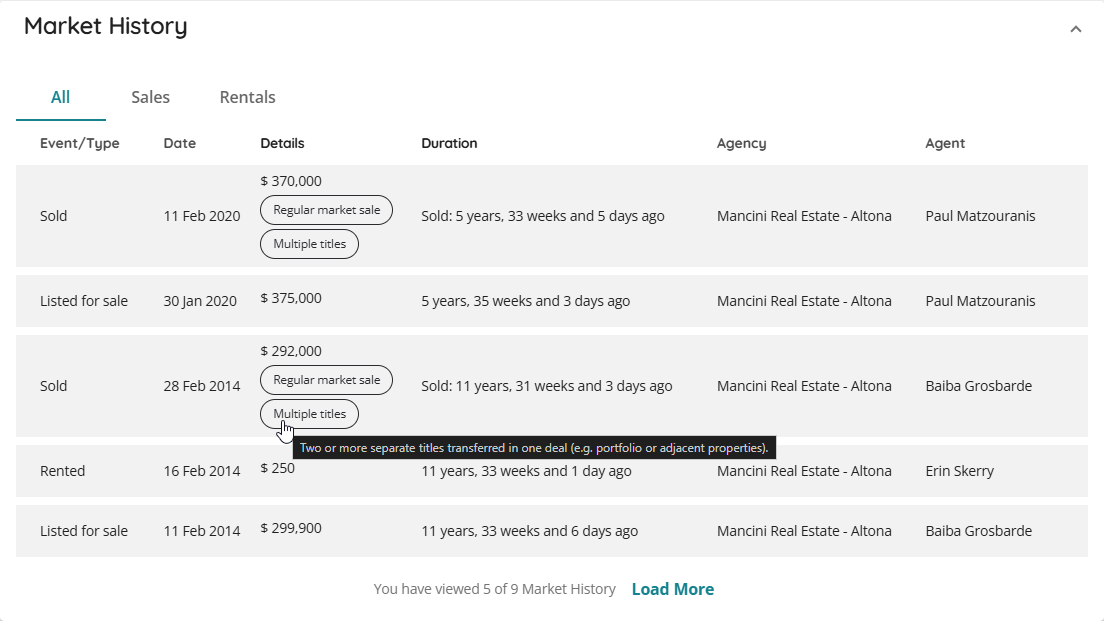
Adds sale event flags to AU Market History, enabling users to instantly identify key details about settled property sales—such as regular market versus non-arm’s length deals, partial or full ownership transfers, and single or multi-title transactions.
How it works
-
Market History checks each settled sold event and shows the relevant flags—one, several, or none.
-
Users will see plain-language labels such as Partial transfer, Full transfer, Regular market sale, Non-arm’s length sale, Single title-multiple lots, and Multiple titles.
-
Tooltips appear on hover with short explanations to help users interpret each flag.
Why it matters
This much-requested update gives agents and analysts quick, trustworthy insight into how a sale occurred, saving time and removing the need to manually cross-check sales data.
Commission Investment Page in Longform CMA
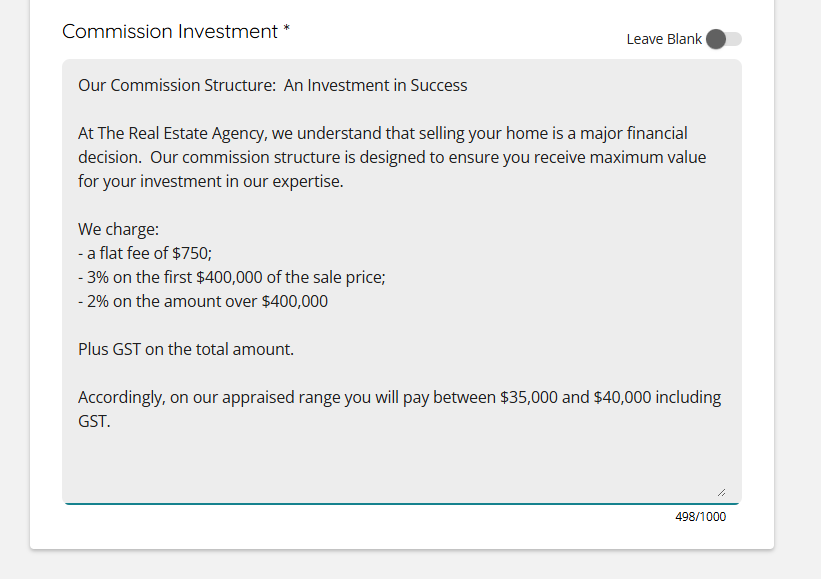
The Commission Investment page is now available in the Longform Sales CMA, giving agents an easy way to include commission details for an even more comprehensive and professional report.

How it works
-
Add or remove the page with a simple toggle in Customise CMA.
-
Appears as a separate page when the CMA is generated or printed.
-
Follows the same look and feel as the Subject Property Commentary for a seamless experience.
Why it matters
This update makes it effortless to present commission investment information directly in the CMA—no extra documents, no manual edits. Agents can clearly communicate value to vendors while keeping the CMA polished, consistent, and complete.