-1.png?width=200&height=59&name=REIP%20Nexus%20logo%20(2)-1.png)
🌟Compatibility assessment for selected comparables in the CMA
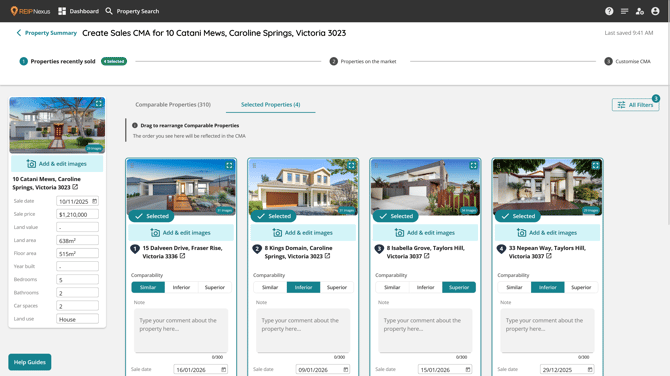
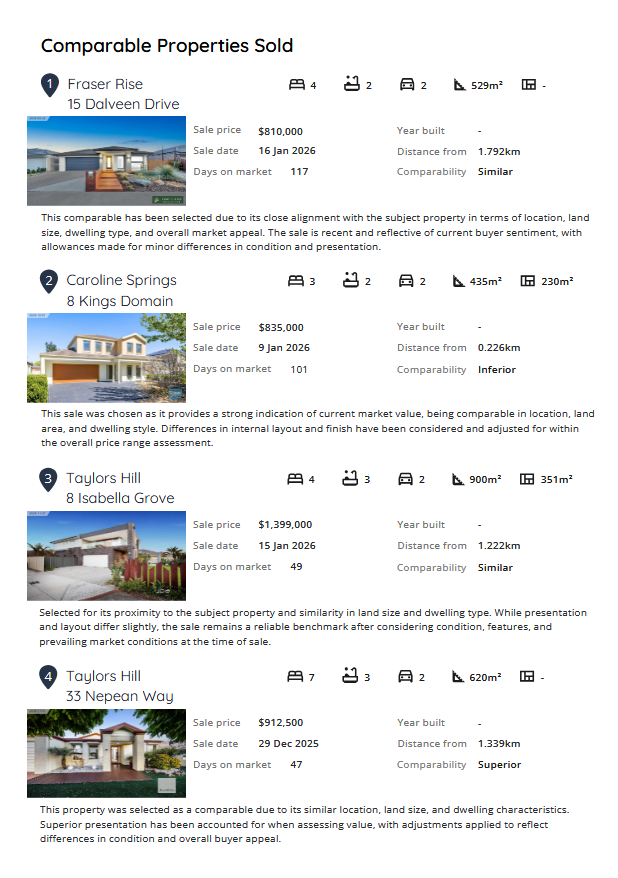
This enables agents to explicitly rate selected comparables as Similar, Superior, or Inferior, improving transparency and consistency in CMAs.
How it works
-
The assessment is manually selected by agents
-
Available only on selected comparables
-
No default value is applied
-
One value can be selected at a time:
-
Similar
-
Superior
-
Inferior
-
-
The selected assessment is displayed and printed alongside the comparable in the CMA
-
Coming later to the Digital CMA
Why it matters
This gives agents clear control over how comparables are assessed and presented in a CMA, improving transparency for clients. By requiring an explicit selection with no default, assessments are intentional rather than assumed, resulting in more consistent and defensible comparisons.
🌟Optional Cover Page for Longform CMA
Introduces the ability to include or exclude the Cover page when generating a Longform CMA, giving agents more control over how their CMA is presented.
How it works
-
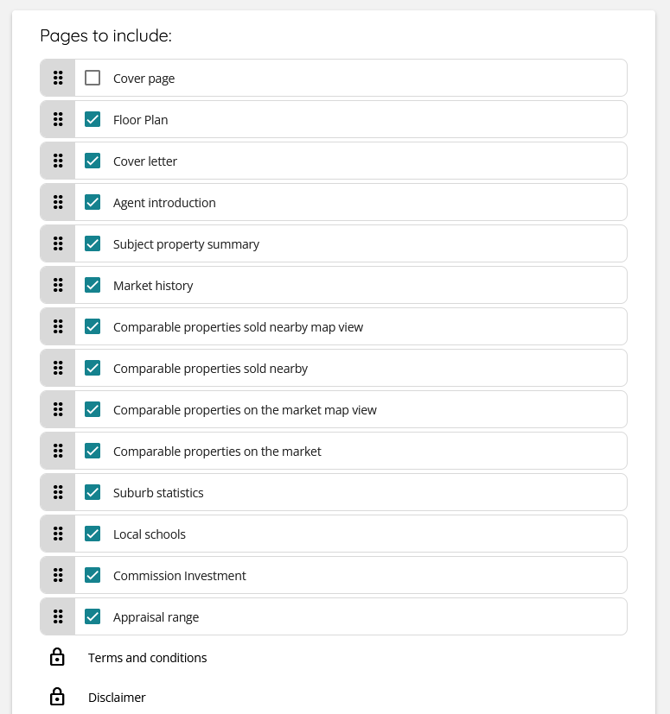
A new option is available on the Customise CMA page when Longform CMA is enabled
-
Users can tick or untick the Cover page option
-
When unticked, the system generates the Longform CMA without the default Cover page, allowing agents to use their own PDF cover if desired.
Why it matters
This gives agents greater flexibility to customise their CMAs and align them with their own branding, without being forced to include a default cover page they may not want.
🌟Expanded Length for Notes for Comparables
-
The character limit for comparable notes has been increased to 300 characters
-
At least one additional line of text is supported in the PDF CMA
-
UI copy has been updated to reflect the new character limit