-1.png?width=200&height=59&name=REIP%20Nexus%20logo%20(2)-1.png)
Updates include an increase in the export limit for search results to CSV files. Furthermore, owner type modeling has been implemented to address objections from Australian prospects. These changes aim to enhance market research capabilities and streamline processes for real estate agents.
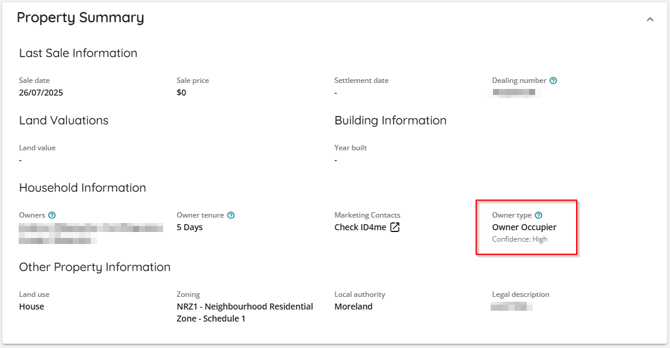
Added Owner type
What
We are currently assessing whether a property is owner-occupied or rented, depending on the available data.
Why is it important
Understanding whether a property is rented or owner-occupied is a crucial piece of information that enhances the overall picture for our users.
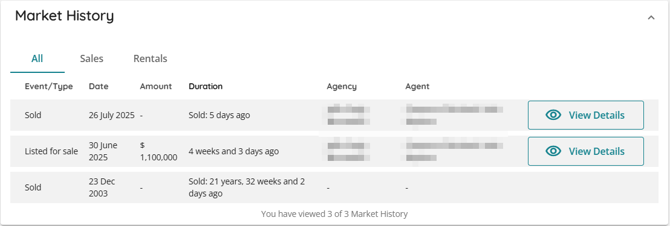
Updated Calculation for Duration Since Property was sold for sale events
What
We have implemented a new method for calculating the duration of sales events, using the current time as a reference point on the Market History. This means that regardless of when a sale occurred, we will consistently measure the elapsed time from that date to today.
Why It Is Important
This update standardizes how individuals perceive the time elapsed since a property was sold, aligning our practices with industry standards for greater consistency.
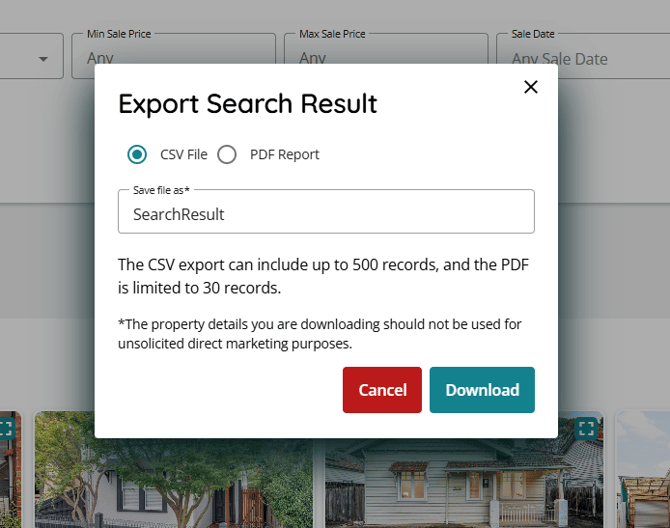
Increase export limit of Search results to CSV file to 500 rows
What
We have expanded the limit of properties that can be exported to a CSV file from 100 to 500 in a single export.
Why is it important
This enhancement enables Valuers and Agents to consolidate and refine their research outside of the platform, allowing them to create further lists tailored to their individual workflows and processes.
Improve the usability of the Customise CMA page
What
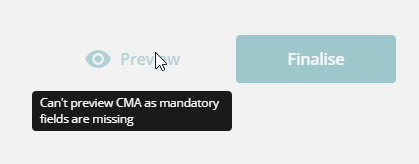
The Customise CMA page has been enhanced for better usability, now clearly indicating mandatory and missing details necessary for previewing or finalizing the CMA.
Why It Is Important
Providing a clear flow for our clients and highlighting missing elements in the user interface will streamline the process, making it quicker and more efficient for our users.
Review price range prefill in Customise CMA
What
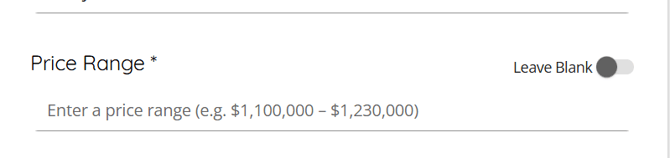
We have implemented minor UI changes to ensure that the price range displayed on the Customize CMA page is clearly indicated as a placeholder rather than a prefilled value.
Why It Is Important
Clients have shared feedback indicating that the previous display was misleading; they assumed it represented an expected value for an automated calculated range. The new placeholder enhances clarity by providing explicit instructions to users.